

Here's The Best Way To Repurpose An Old Security Camera To Watch Your Bird Feeder
We may receive a commission on purchases made from links.
Home technology is exciting in that it's advancing in leaps and bounds. Case in point: Security cameras. Just a generation ago, when Wi-Fi wasn't so readily available, most homeowners wouldn't have thought to add closed-circuit TV, or CCTV, security system to their home. The cameras were unsightly, unwieldy and (most importantly) pricey. These days, that top-of-the-line "miniature" security camera from a few years back may already be obsolete. Even if you've upgraded to something with more bells and whistles, don't throw away that old camera if it still functions. Instead, repurpose it into a birdwatching camera setting its sights on a bird feeder or birdhouse, rather than your front door.
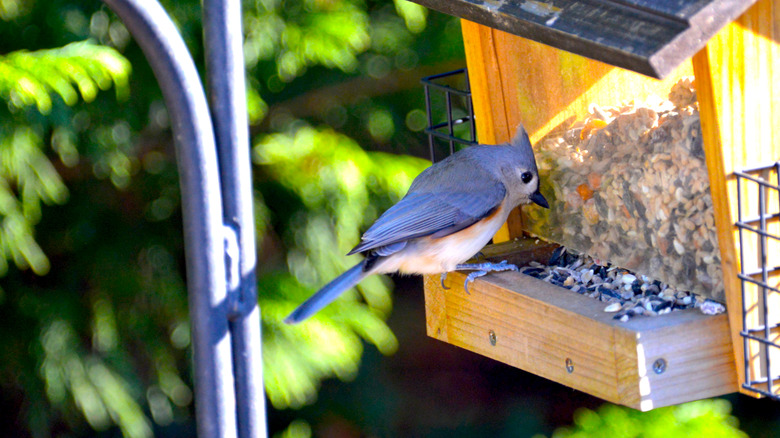
Birds will flock to your yard thanks to a feeder, so why not capture entertaining images of them with a security cam? It's perhaps one of those "why didn't I think of that?" upcycling ideas, as it gives a fun, new purpose to an unused item. If you have extras, you could also choose the right camera inside a birdhouse to view all the excitement that happens inside without disturbing the birds.
Bird feeders with built-in cameras tend to be fairly expensive, averaging anywhere from $50 to $250, so making your own saves some cash, though you'll lose out on the automatic bird-identification features and apps found with some models. The great thing with this DIY, beyond saving money, is that any wireless, weatherproof security camera can be repurposed as a bird feeder camera, with some adjustments. Each camera is different from the next, so it could take some experimentation to set yours up in a way to take quality photos and capture all the action.
Repurposing a security camera to watch birds
Before setting up your wireless security camera near a bird feeder, first make sure the device picks up your home's WiFi signal in your selected location, such as on a wooden post a foot from the feeder, or on an exterior wall facing the feeder. Temporarily set up the camera in your preferred spot, test it with the mobile app, and take some test pictures to make sure you're getting quality images when the birds show up.
The beauty of using home security cameras, like the Blink Outdoor 4, or the older Blink XLT cameras is you can customize the settings for your bird feeder's situation: Toggle the motion light off so it doesn't distract the birds; set it for live feed or motion activation; deactivate parts of the field of view always set off by swaying branches. These cameras focus fairly close-up so you should be able to get great views of visiting birds.
When you're happy with camera placement in relation to the feeder, mount the camera in place using the hardware that came with it, and any combination of zip ties, magnets, or cinch straps to wrap around a tree or post near the feeder, or even the feeder's shepherd's hook itself. You can also add a hood to the feeder and over the camera, if desired, to keep out the elements a bit more. If it seems the birds are ignoring the feeder after you place the camera near it, no worries: It takes time for birds to get used to seeing a new object in the yard. Once they're used to it, you'll find yourself enjoying all sorts of candid bird pictures.